Covis | Crypto Signal Alerts: Push, Inbox and Quiet Hours
COVIS · EPISODE 2
A pro just entered
a long position.
Crypto signal alerts reach your inbox and your phone right after a pro's fill happens.
Stop staring at charts alone. Watch the pros' entries right beside them.
Anyone who has used signals knows it. Even great information is useless if it goes by while you are not looking. So the first thing to check in a crypto signal service is not the return but how the alert reaches you.
In this post we follow the real settings screens to see what makes a Covis crypto signal alert fire, where alerts pile up and how you tune them. We also spell out which alerts are not sent by email.
It rings when a pro moves: what triggers a signal alert
You are alerted when an expert you subscribe to publishes, or when a price is hit.
The first item on the notification settings screen is Signals. Its description reads:
When an expert you subscribe to publishes a signal or it hits entry, target or stop loss
An alert goes out when a new signal is published, and again the moment it reaches its entry, target or stop price. These alerts apply only to signals from experts you subscribe to.
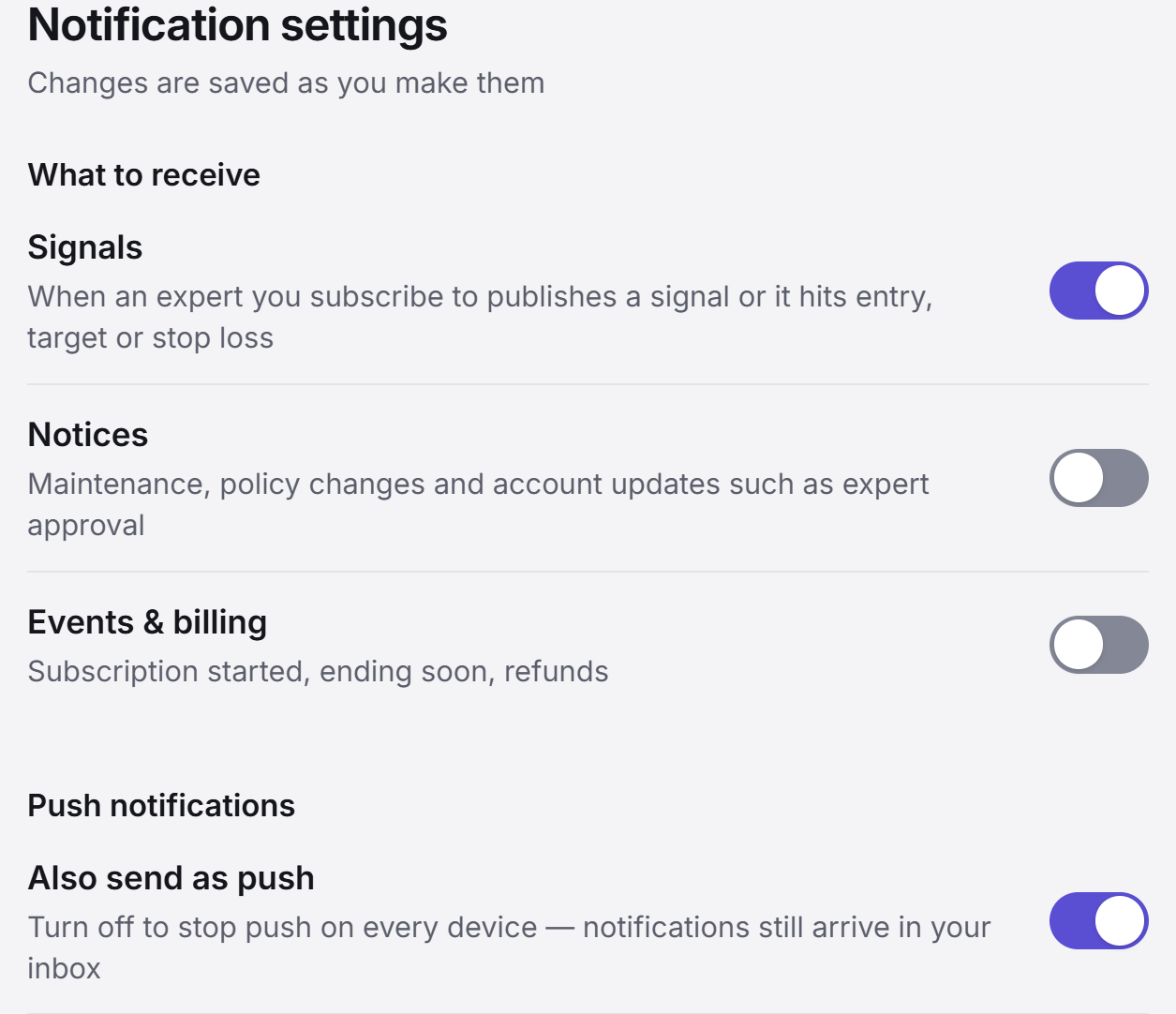
- Signals: a subscribed expert publishes, or a signal hits entry, target or stop loss
- Notices: maintenance, policy changes and account updates such as expert approval
- Events & billing: subscription started, ending soon, refunds
You can switch each of the three on or off, and changes are saved as you make them. Keep only the signal alerts on and turn the rest off, so you receive just what you need.
Miss one and it stays: the inbox and push notifications
You can turn push off, but alerts still land in your inbox.
Alerts go to two places. One is the inbox on the site, the other is push notifications.
- Inbox: where received alerts collect. View them as All, Unread, Signals or Notices, and mark everything as read in one go.
- Also send as push: turn it on and alerts arrive as notifications in this browser even when the app isn't open. Turn it off and push stops on every device, while alerts still arrive in your inbox.
Push is switched on per device. The "This device" item on the settings screen is the notification switch for the browser you are using, and the channel settings above and the quiet-hours settings below apply to it just the same.
Quiet while you sleep: quiet hours
Push takes a break, and the record keeps building.
The crypto market moves in the middle of the night too. Set quiet hours and no push is sent during that window, while your inbox fills as usual. Open it in the morning and you can go through everything that happened while you slept, in order. For the time zone you can keep the default or choose from Asia/Seoul, Asia/Tokyo, Asia/Shanghai, Asia/Singapore, Asia/Dubai, Europe/London, Europe/Berlin, America/New_York, America/Chicago, America/Los_Angeles and Etc/UTC.
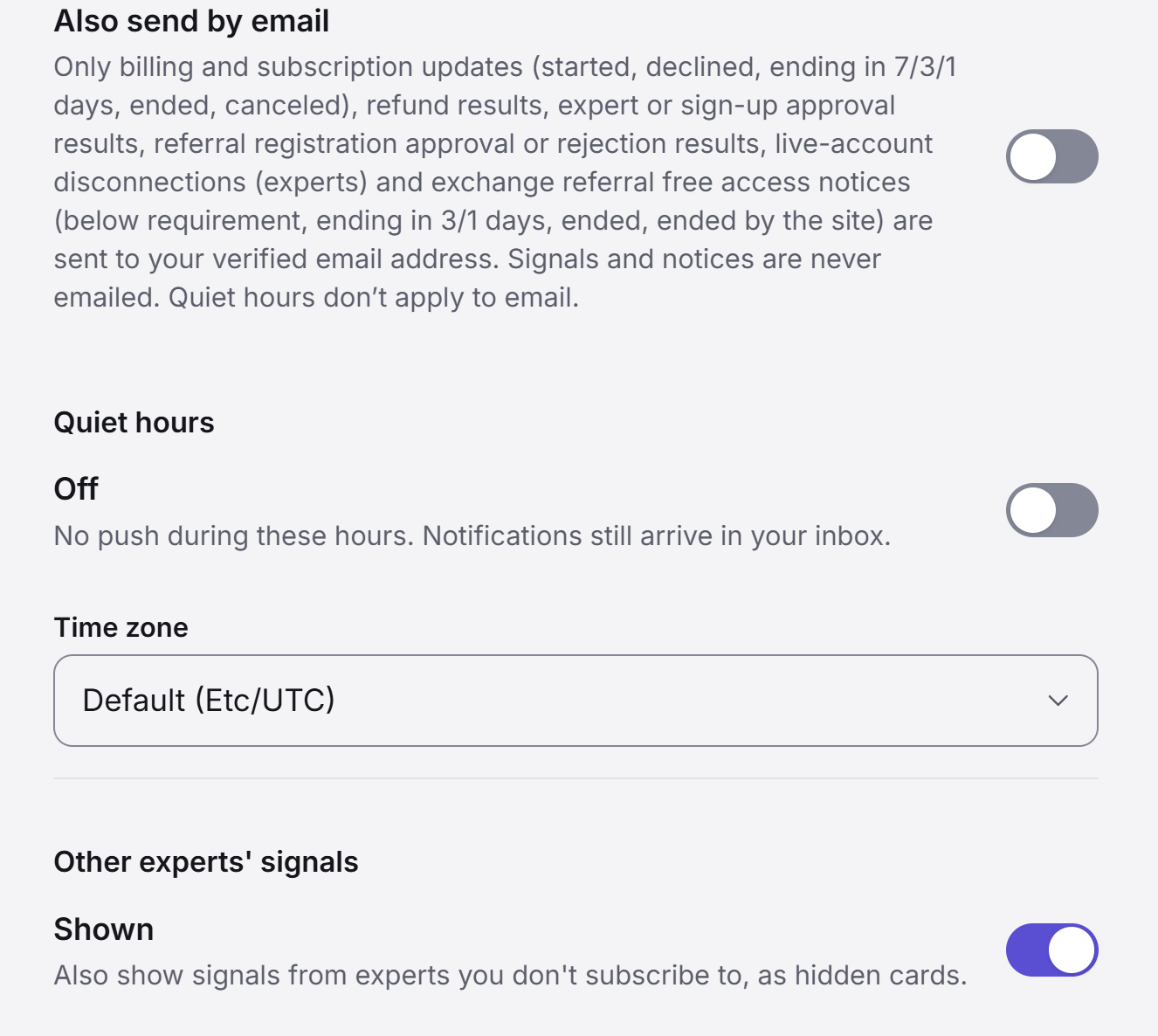
Further down the same screen is the Other experts' signals setting. Turn it on and signals from experts you don't subscribe to show up as hidden cards. You can see which pros are moving right now, and the details of an open signal unlock when you subscribe.
Not by email: where signal alerts go
Email is for billing and subscription news only. Signals come by inbox and push.
To be precise: email notifications cover only account matters, such as billing and subscription updates, refund results and expert or sign-up approval results, sent to your verified email address. The settings screen says so itself.
Signals and notices are never emailed.
To receive signals, keep push notifications on or check your inbox. Knowing in advance where alerts arrive is part of choosing a service, too.
After the alert comes the record: check it on signal detail
From entry to exit, it is all on one screen.
After an alert, you check the signal on its detail screen. The entry type and entry price, the entry time, whether a target or stop was set, and the closing time and closing price are all on one page, and the Updates section below lists what happened to the signal in time order. Below is the record of a closed signal.
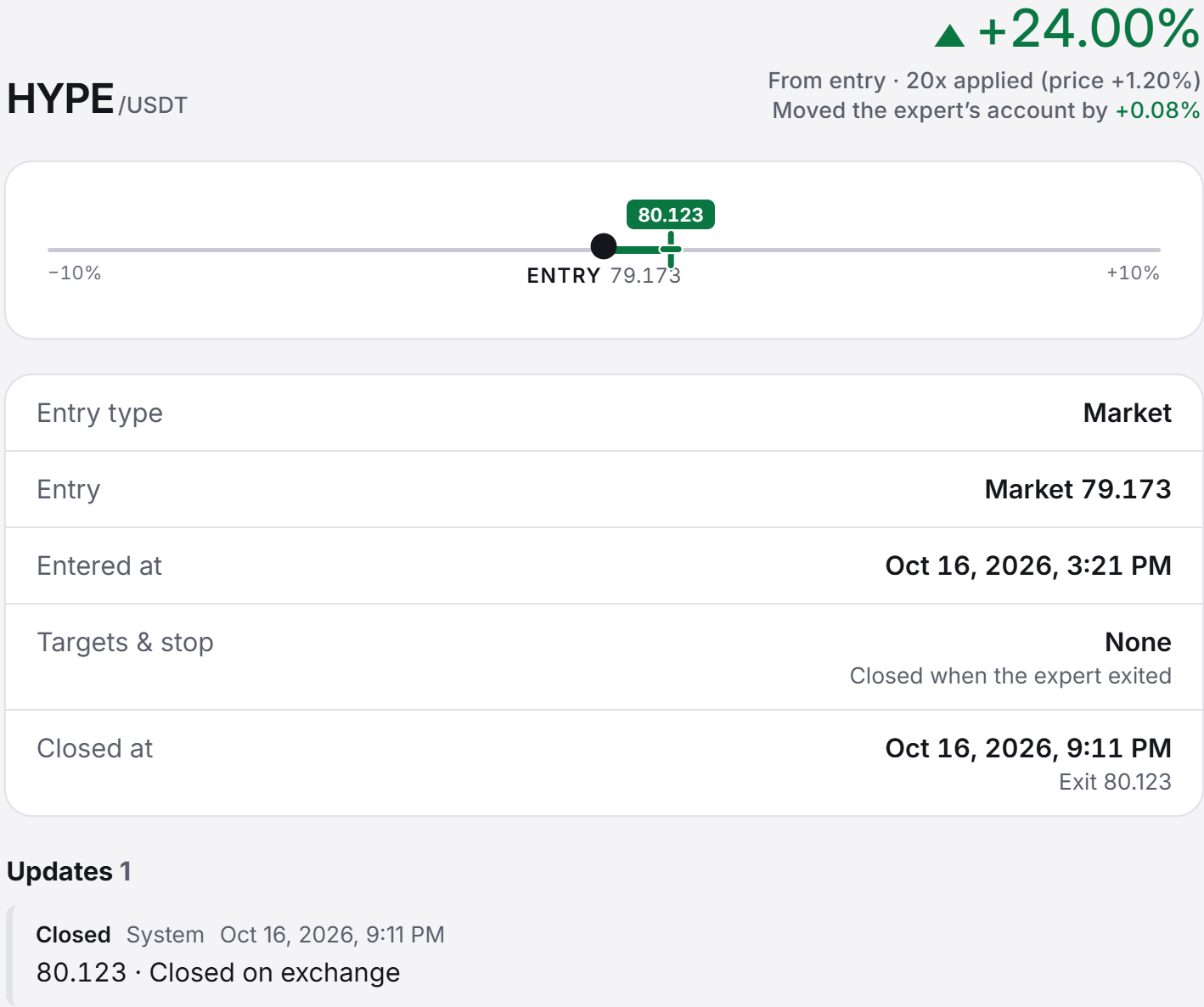
When no target or stop price was set, the screen says "Closed when the expert exited", just like that. It does not fill in what was never decided.
Replace the subscription fee with an exchange sign-up
The subscription fee can be replaced by an exchange referral registration.
Covis's subscription fee can be replaced by registering through an exchange referral.
Signing up with the Gate exchange is covered in a guide you can follow screen by screen.
A signal alert rings on publication, entry, target or stop
Even with push off, alerts still land in your inbox
During quiet hours, only push takes a break
Email is for billing and subscription news, and never carries signals
After the alert, check the Updates on signal detail
Next, episode 3: what only subscribers can see and what anyone can see, a look at how Covis is built around subscribers.

